Wednesday, 9 March 2016

How to set values for bezel correction on videowall


Download Desktop Utility software for bezel correction from below link:-


Extract desktop utility software & run x64 Desktop_Utility.exe or according your OS.


Before bezel correction images are showing on videowall as shown below image.


Now double click on exe, a Desktop Utility V0.04 pop up window will open.

Now enter the Values of single Screen of videowall, e.g. Width & Height or Gap Width & Height as shown below image.
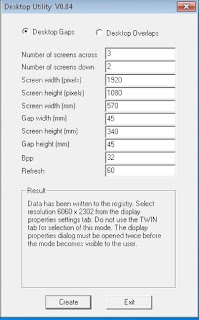


Click on create button & it display a screen resolution. Now set the given resolution from screen resolution of Videowall as shown below image:-


Now open An image on Videowall. You can see the bezel correction on videowall as shown below image:-


For Example Screen Width & Height or Gap Width & Height as shown below image.


Tuesday, 8 March 2016

How to run RTSP through Laptop

Open VLC media player on your laptop, click on Media option & select stream as shown below image:-


An open Media window will open & click on Add button & select any HD video from your laptop as shown below image:-


Then click on Next & select rtsp from drop down in stream output window & click on Add
as shown below image:-


Enter the any name of the file in Path (e.g. d.sdp) & click on Next as shown below image:-


Now enter the IP address of your notebook in stream output as shown below image:-


 copy the rtsp command as shown below image:-


Now click on Stream button. Your stream is running & you can see your stream over the network through rtsp command  as shown below image:-


 Now open VLC Media player in another notebook & click on media & select open network stream & enter the rtsp command in Network URL & click on Play as shown below image:-


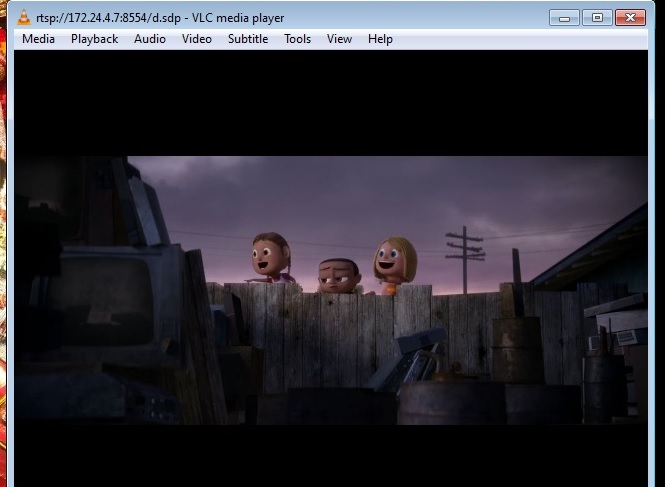
 Your notebook video will play through rtsp command over the Network as shown below image:-


Monday, 7 March 2016

How to Add Borderless IE in IconPro Studio

1. Install IconPro Studio on Controller & Launch it.
2. Select App N VNC properties tab & click on Edit button of Google.
3. Enter the executable path of IE & enter the command argument & URL of site (like google) as shown in below image.


4. Click on Update button. Added application will be appear on Application Stream.
5. Double click on Added Application. Border less Application (Google) will be launched on Videowall as shown in below image .


6. You can add multiple border less IE application with same process.

Tuesday, 1 March 2016

How to check Latency of a Video Signal

1. Run any video @ 30fps on your laptop.
2. Now connect your laptop as a input on your controller.
3. Now launch connected input.
4. Min 1frame & Max 2 frame drop per second as shown below.